
Glary Malware Hunter is one of the most trusted antimalware tools available for Windows PCs in 2026. Developed by Glarysoft Ltd., it combines a powerful virus detection engine with practical PC optimization tools to keep your system both safe and fast. Whether you are looking to download the free version or explore the Pro upgrade, this guide covers everything you need to know before and after installation.
What Is Glary Malware Hunter?
Glary Malware Hunter is a Windows security application designed to detect, quarantine, and remove malicious software including viruses, trojans, worms, spyware, adware, ransomware, and rootkits. Unlike many generic antivirus tools, it is built specifically around an advanced malware detection engine powered by the trusted Avira Antivirus technology, which means it goes beyond surface-level scanning to find deeply embedded threats that other software may miss.
Glarysoft has positioned Malware Hunter as a lightweight yet comprehensive security solution. It is suitable for everyday home users who want reliable protection without a heavy system footprint, and it also appeals to IT professionals who want a fast portable scanner they can run directly from a USB drive.
Key Features of Glary Malware Hunter
Hyper Scan Engine for Fast Detection
The hyper scan engine is one of the standout features of Glary Malware Hunter. It delivers faster scanning speeds than conventional antivirus tools by focusing on the most vulnerable areas of your system first. This allows the software to surface threats quickly without making you wait through a lengthy full system scan.
Three Scanning Modes
Glary Malware Hunter gives you three distinct scanning options so you can choose the level of depth that fits your situation.Quick Scan checks only the critical areas of your operating system that are most frequently targeted by malware. It typically completes within a few minutes, making it ideal for daily use.Full Scan performs a thorough examination of every file and folder on your hard drive. The time required depends on the size of your storage and the number of files present.
This is the recommended option for a first-time deep clean or when you suspect an active infection.Custom Scan lets you point the scanner at a specific folder, file, or external drive such as a USB stick. This is particularly useful when you have downloaded a new file and want to verify it before opening it.
Active Protection in Real Time
Active Protection is the always-on component of Glary Malware Hunter that monitors your system continuously. Rather than waiting for you to run a manual scan, it watches for suspicious behavior and malicious files the moment they appear. When a threat is detected, Active Protection can automatically remove it or place it in quarantine, and you have the option to restore any file you trust. This real-time layer is a significant upgrade over basic on-demand scanners.
Quarantine and Trust List Management
When Glary Malware Hunter flags a file, it does not immediately delete it without your knowledge. Instead, it moves the file to a secure quarantine zone where it cannot execute or cause harm. You can then review quarantined items, permanently delete confirmed threats, or restore files that were flagged incorrectly. The Trust List and Block List features let you define which programs the scanner should always allow and which ones it should always block, giving you fine-grained control over your security settings.
USB Drive Protection
Infected USB drives are one of the most common ways malware spreads between computers. Glary Malware Hunter includes dedicated USB protection that automatically scans any removable drive you plug into your PC before allowing access to its contents. This simple feature can prevent a large class of physical-vector infections that many cloud-based security tools overlook.
Safe Download Scanning
The safe download feature scans files as they arrive on your system before you open them. This is especially useful for files received via email attachments, instant messaging apps, or browser downloads from unfamiliar sources.
Registry Protection
The Windows registry is a frequent target for malware that wants to achieve persistence or modify system behavior. Glary Malware Hunter monitors your registry and blocks unauthorized changes, helping to prevent stealthy infections that survive reboots.
PC Speedup and Cleanup Tools
Beyond security, Glary Malware Hunter includes built-in system optimization tools. The Cleanup function removes junk files, temporary data, and other clutter that accumulates over time and slows down your PC. The Speedup function optimizes startup processes and background services so your computer boots faster and runs more responsively. Users have reported reclaiming over 15 GB of disk space in a single cleanup session.
Automatic Updates and Malware Database Refresh
Malware Hunter keeps its threat database updated automatically so that it can recognize the latest variants of viruses and other malicious software. In the Pro version, both the program itself and the database update automatically without requiring any manual action on your part.
Detailed Scan Logs
Every scan generates a detailed log that you can review at any time through the Settings menu. These logs show which files were scanned, what threats were found, and what actions were taken. This is a useful accountability feature for IT administrators and anyone who wants to keep records of their security activity.
System Requirements for Glary Malware Hunter
- Before downloading, make sure your computer meets the following minimum specifications.
- Operating System: Windows 7, Windows 8, Windows 10, or Windows 11 (32-bit and 64-bit supported) Processor: Intel or AMD processor running at 1 GHz or faster RAM: Minimum 2 GB Available Disk Space: 300 MB of free storage Internet Connection: Required for database updates and initial download
How to Download and Install Glary Malware Hunter?
Step 1: Download the Installer
Visit the official Glarysoft website at glarysoft.com and navigate to the Malware Hunter product page. Click the download button to get the latest version of the installer. Always download from the official source to avoid tampered or malware-infected third-party installers.
Step 2: Run the Installer
Locate the downloaded setup file in your Downloads folder and double-click it. Follow the on-screen prompts to select your installation directory. The installation process typically completes in under one minute.
Step 3: Launch and Activate
After installation, double-click the Malware Hunter icon on your desktop to open the application. If you are using the free trial, the software is ready to use immediately. To unlock Pro features, click the Activate Now button, enter your email address and the license key you received after purchase, and complete the verification process.
Step 4: Run Your First Scan
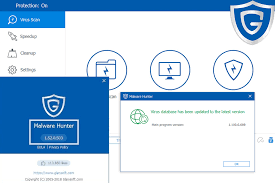
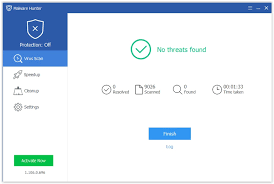
Once the program is open, go to the Virus Scan section in the left panel. Choose your preferred scan mode and click Start Scan. After the scan completes, review any detected items and click Resolve to clean or quarantine threats.
Glary Malware Hunter Free vs Pro: What Is the Difference
The free version of Glary Malware Hunter gives you access to manual scanning, basic malware detection, and limited optimization tools. It is a solid starting point for users who want to evaluate the software before committing to a purchase.The Pro version unlocks the full feature set including automatic scheduled scans, automatic program and database updates, the complete Active Protection suite, advanced registry protection, USB protection, safe download scanning, and priority customer support.
The Pro license is available for a one-time payment of $24.97, and a 30-day free trial of the Pro version is included with every download so you can test all features before deciding.
Who Should Use Glary Malware Hunter
Glary Malware Hunter is best suited for Windows users who want a lightweight secondary scanner that complements their existing antivirus software. It is particularly effective as a specialized malware removal tool because its detection logic is tuned specifically for malware behavior rather than the broader threat categories that general antivirus suites cover. It is also a practical choice for users who need a portable scanning tool.
The portable version of Malware Hunter runs directly from a USB drive without installation, making it ideal for technicians who service multiple computers and need a consistent, trusted tool they can carry with them. If you are a home user looking for a simple, no-fuss security application with a clean interface and useful optimization features bundled in, Glary Malware Hunter delivers solid value especially through its trial period.
Honest Pros and Cons of Glary Malware Hunter
Pros
The interface is clean and genuinely easy to use regardless of your technical background. The hyper scan engine delivers noticeably fast scan speeds. The Active Protection feature provides meaningful real-time coverage. The bundled Cleanup and Speedup tools provide genuine utility and have produced measurable results in user tests. The USB protection and safe download scanning address real-world infection vectors. The portable version is a distinct advantage for technical users. The 30-day Pro trial lets you test every feature before spending money.
Cons
The free version lacks automatic scanning and auto-updates, which limits its effectiveness as a standalone primary security solution. Detection rates, while good, do not match the near-perfect accuracy of premium suites like Norton or Bitdefender. There is no built-in firewall, so you will need a separate solution for network-level protection. The software can occasionally produce false positives when scanning system optimization tools, unsigned installers, or lesser-known utilities. Users should review flagged items carefully before deleting them, especially if the flagged program is one they recognize and use regularly.
Tips for Getting the Most Out of Glary Malware Hunter
- Run a Full Scan immediately after installing the software to establish a clean baseline for your system. After that, use Quick Scan on a daily or weekly schedule for ongoing monitoring.
- Enable Active Protection so that real-time monitoring is always running in the background. This is the single most effective setting for preventing infections before they take root.
- Use the Custom Scan mode whenever you download a new file from an unfamiliar source, plug in a USB drive, or receive an attachment in email. Scanning before opening adds a critical layer of defense.
- Regularly review the Quarantine section to confirm that flagged items are genuine threats. If you see a program you trust in quarantine, restore it and add it to the Trust List so it is not flagged in future scans.
- Keep the software updated. In the Pro version this happens automatically. If you are using the free version, check for updates manually from the Settings menu at least once a week.
Frequently Asked Questions About Glary Malware Hunter
Is Glary Malware Hunter safe to download?
Yes. Glary Malware Hunter is developed by Glarysoft Ltd., a legitimate software company that has been producing Windows utility software for many years. The official installer from glarysoft.com is clean and safe. Avoid downloading from unofficial third-party sites that may bundle the installer with additional unwanted software.
Does Glary Malware Hunter replace an antivirus program?
Glary Malware Hunter functions best as a complementary tool alongside a primary antivirus program rather than a standalone replacement. Its specialized malware detection engine can catch threats that general antivirus tools miss, making it a strong addition to a layered security strategy.
Is there a free version available?
Yes. A free version is available with core scanning features. All downloads also include a 30-day trial of the Pro version so you can access the complete feature set before choosing whether to purchase.
What antivirus engine does Glary Malware Hunter use?
Glary Malware Hunter is powered by the Avira Antivirus Engine, which is one of the most widely respected threat detection technologies in the industry.
Can Glary Malware Hunter run on Windows 11?
Yes. Glary Malware Hunter supports Windows 7, 8, 10, and 11 on both 32-bit and 64-bit systems.
Final Verdict
Glary Malware Hunter is a well-built, focused security tool that does its primary job reliably and adds genuine bonus value through its system optimization features. It is not a replacement for a comprehensive security suite if you need features like a VPN, password manager, parental controls, or identity monitoring. However, as a dedicated malware scanner with real-time protection, USB scanning, and a clean interface, it earns its place on any Windows PC.
The 30-day free trial of the Pro version makes it easy to evaluate the full experience at no cost. Download it from the official Glarysoft website, run a Full Scan on day one, and enable Active Protection to get the maximum benefit from the software from the very first use.
