
Sony Catalyst Production Suite 2026.1 is a professional video production software developed by Sony Creative Software. It combines two powerful applications, Catalyst Prepare and Catalyst Edit, into a single integrated suite designed for editors, cinematographers, and production studios who work with Sony cameras and high-resolution media formats. The suite supports 4K, Sony RAW, X-OCN, and HD media workflows, making it one of the most capable Sony-native editing environments available for Windows users.
What Is Sony Catalyst Production Suite?
Sony Catalyst Production Suite is an end-to-end video production environment that handles every stage of a professional video project, from initial media ingest and organization through color correction, audio assignment, and final output. It was built specifically to work seamlessly with Sony camera formats including XAVC, X-OCN, SxS, and Sony RAW, giving Sony camera users a workflow optimized for their footage rather than a generic approach.The suite consists of two core applications that work together.
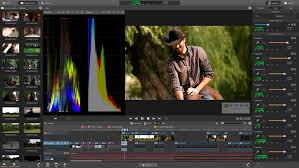
Catalyst Prepare handles all pre-editing tasks such as media management, transcoding, backup, and rough assembly. Catalyst Edit takes that prepared media and provides a focused, efficient timeline editing environment for building a finished production. Together they eliminate the bottlenecks that typically slow down professional video workflows.
Key Features of Sony Catalyst Production Suite 2026.1
Native Sony RAW and 4K Media Support
Sony Catalyst Production Suite delivers native support for Sony RAW files, including the latest X-OCN (eXtended tonal range Original Camera Negative) format used in Sony VENICE and FX9 cameras. Editors can work directly with camera-original RAW files without the need for a proxy workflow or third-party transcoding, which preserves full dynamic range and color information throughout the editing process. The suite also handles 4K XAVC, XAVC S, and XDCAM formats natively, ensuring smooth playback and real-time color adjustments.
Professional Color Correction and HDR Monitoring
The color tools in Catalyst Production Suite give colorists and editors professional-grade controls for primary color correction, look application, and HDR monitoring. The software supports wide color gamut workflows using Sony’s S-Log2, S-Log3, and S-Gamut color profiles, which are the industry standard for Sony camera footage. Editors can apply LUTs and custom looks during the prep stage in Catalyst Prepare, then carry those color decisions directly into Catalyst Edit without any round-tripping. The HDR monitoring capabilities allow editors to evaluate footage accurately on both SDR and HDR displays within the same session.
Catalyst Prepare for Streamlined Media Management
Catalyst Prepare is the media management component of the suite and it addresses one of the most time-consuming parts of any production workflow. It connects directly to Sony cameras, card readers, and decks, allowing immediate viewing of footage without copying files to a local drive first. Editors can organize footage into bins, add metadata, set in and out points, establish multichannel audio channel assignments, and build a rough story assembly using the storyboard feature, all before opening any editing application.
Catalyst Prepare also supports full-volume backup with verification, which is an essential data protection step in professional productions. Batch copy and batch transcode functions let production assistants prepare media for offline editing while the original camera files remain safely archived. The software connects to Sony Media Cloud Services Ci for cloud-based collaboration, allowing teams to batch upload and share media across locations.
Catalyst Edit for Focused Timeline Editing
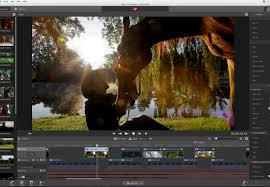
Catalyst Edit provides a clean, distraction-free editing environment built around the precise toolset that professional editors need for assembly and finishing. It imports Catalyst Prepare libraries and storyboards directly, so the organizational and color work done during media prep carries over immediately. The timeline supports multicam editing, audio mixing, titles, and effects within an interface designed for speed rather than feature overload.
The focused design of Catalyst Edit is a deliberate choice. Rather than competing with complex nonlinear editors that offer hundreds of rarely used features, Catalyst Edit gives editors immediate access to the cutting tools, trim functions, and playback controls that account for the majority of editing time. This makes the application faster to learn and faster to operate for productions that need efficient turnaround.
Multichannel Audio Support
Audio is a critical component of professional video production, and Sony Catalyst Production Suite handles complex multichannel audio assignments with precision. The latest 2026.1 release adds support for 96 kHz and 32-bit float audio, which meets the highest-quality requirements for broadcast, streaming, and theatrical productions. Editors can assign and remap audio channels at the media preparation stage in Catalyst Prepare, ensuring that dialogue, music, and ambient tracks are properly organized before the editing session begins.
Horizon Lock and Stabilization Controls
Version 2026.1 introduces a manual horizon lock adjustment function that gives editors precise control over footage stabilization and leveling. This feature is particularly useful for footage shot handheld, from moving vehicles, or with drone-mounted cameras where the horizon line shifts during the shot. The manual adjustment approach gives editors exact control rather than relying entirely on automatic analysis, which can produce artifacts in complex footage.
X-OCN Format Expansion
The 2026.1 release expands the range of resolutions supported by the X-OCN codec, reflecting the growing adoption of Sony VENICE 2 and other Sony cinema cameras that use this format. X-OCN is a compressed RAW format that retains the full color and tonal information of the camera sensor while reducing file sizes to manageable levels for post-production workflows. The expanded resolution support ensures that editors working with the latest Sony cinema cameras can use all recording modes without any compatibility gaps.
System Requirements for Sony Catalyst Production Suite 2026.1
- Sony Catalyst Production Suite 2026.1 is designed for 64-bit Windows systems. For optimal performance with 4K and RAW media, a modern multicore processor, at least 16 GB of RAM, and a dedicated GPU with hardware acceleration support are recommended. High-speed storage, either NVMe SSD or a fast RAID array, is important for smooth 4K playback without dropped frames. A color-calibrated monitor is recommended for accurate color correction work, and an HDR-capable display is required to use the full HDR monitoring capabilities.
Who Should Use Sony Catalyst Production Suite?
Sony Catalyst Production Suite is the ideal choice for any editor, colorist, or production team working primarily with Sony camera footage. Independent cinematographers shooting on Sony FX3, FX6, or FX9 cameras benefit from the native format support and optimized RAW handling. Broadcast news teams and documentary producers value the fast ingest, organized bin structure, and quick rough-edit capabilities in Catalyst Prepare. Post-production facilities handling Sony VENICE or VENICE 2 footage appreciate the full X-OCN support and professional HDR color tools.The suite is also an excellent complement to larger nonlinear editing applications.
Many professional editors use Catalyst Prepare for all media management and organization tasks, then hand off prepared, color-corrected clips to Adobe Premiere Pro, Avid Media Composer, or DaVinci Resolve for complex finishing work. This hybrid approach combines the Sony-native advantages of Catalyst with the extended feature sets of major NLE platforms.
Sony Catalyst Production Suite vs Catalyst Browse
Sony offers Catalyst Browse as a free, lighter-weight media browser for Sony camera owners. Catalyst Browse handles basic media viewing, simple color adjustments, and single-clip transcoding. Sony Catalyst Production Suite goes significantly further, with full bin organization, batch transcoding, storyboard editing, timeline-based Catalyst Edit integration, professional color correction, HDR monitoring, multichannel audio management, and cloud upload capabilities. For serious production work, the full suite is the appropriate choice. Catalyst Browse is suitable for camera operators who need quick file review and simple clip management on set.
What Is New in Sony Catalyst Production Suite 2026.1?
The 2026.1 update delivers three significant improvements over the previous version. The horizon lock manual adjustment function gives editors direct control over footage leveling for stabilized and aerial shots. An expanded set of resolutions is now supported within the X-OCN codec, covering the full range of Sony cinema camera recording modes. The audio engine now supports 96 kHz and 32-bit float audio processing, which is the highest quality standard for professional audio workflows and meets the technical requirements for theatrical and high-end streaming delivery.
Software Details
- Software Name: Sony Catalyst Production Suite 2026.1 Developer: Sony Creative Software Inc. Version: 2026.1 File Size: 622 MB Architecture: 64-bit Operating System: Windows Language: English License: Full Version
Frequently Asked Questions About Sony Catalyst Production Suite
Does Sony Catalyst Production Suite work with non-Sony cameras?
The suite is optimized for Sony camera formats and delivers the best performance with Sony RAW, XAVC, XDCAM, and X-OCN files. While it can handle some common video formats from other manufacturers, its primary advantage is the deep native support for Sony codec and color science.
Can Catalyst Edit replace a full nonlinear editor?
Catalyst Edit is a focused editing tool rather than a full-featured NLE. It handles assembly editing, color correction, audio mixing, and titling well. Productions requiring advanced compositing, complex motion graphics, or extensive plugin support will still benefit from using a major NLE for the finishing stage.
What is the difference between Catalyst Prepare and Catalyst Edit?
Catalyst Prepare handles everything before the edit, including ingest, organization, transcoding, metadata, rough assembly, and color prep. Catalyst Edit is the timeline-based editing application where the final project is cut and finished. The two applications are designed to work together as a continuous workflow.
Is 96 kHz audio support new in 2026.1?
Yes. Version 2026.1 introduces support for 96 kHz and 32-bit float audio, which represents a meaningful upgrade for productions with high-quality audio requirements including broadcast, theatrical, and premium streaming projects.
Does Sony Catalyst Production Suite support cloud workflows?
Yes. Catalyst Prepare integrates with Sony Media Cloud Services Ci, which allows teams to batch upload, share, and collaborate on media remotely across multiple locations.
