
Ant Download Manager Pro is a powerful desktop application that transforms how you manage file downloads on Windows. Whether you struggle with slow download speeds, interrupted connections, or need to grab videos from online sources, this software provides a comprehensive solution that significantly outperforms your browser’s default download capabilities.
Understanding Ant Download Manager Pro and Its Core Purpose
Ant Download Manager Pro serves as a dedicated download acceleration tool designed specifically for Windows users who require reliable, fast, and organized file management. Unlike basic browser download functions, this application employs advanced technologies to maximize your bandwidth utilization and prevent data loss from connection interruptions. The software addresses several critical pain points that regular internet users encounter daily.
When downloading large files such as software installations, video projects, or data archives, network interruptions can force you to restart the entire process, wasting both time and bandwidth. Ant Download Manager Pro eliminates this frustration through intelligent resume capabilities and multi-threaded processing architecture.
Why Ant Download Manager Pro Stands Out from Competitors?
The download management software landscape includes numerous options, but Ant Download Manager Pro distinguishes itself through a combination of user-friendly design and powerful features. The application balances technical sophistication with accessibility, making it suitable for both casual users and power users who manage large download volumes. The developers have invested considerable effort into creating an intuitive interface that displays all essential information without overwhelming users.
Your download history, queue management, and detailed statistics remain organized and easy to access, enabling quick decision-making about your download tasks.
Multi-Threaded Download Technology Explained
One of the most significant advantages of Ant Download Manager Pro involves its multi-threaded download architecture. This technology divides large files into multiple segments, which the application downloads simultaneously from the server. This parallel downloading approach can increase your effective download speed by two to four times compared to single-threaded browser downloads, depending on your internet connection and server capabilities. For example, downloading a 1 gigabyte software installer typically requires 10 to 15 minutes with standard browser downloads on a 10 megabit connection. With Ant Download Manager Pro’s multi-threaded system splitting the file into four segments, users consistently report completion times of 3 to 5 minutes for the same file.
The actual improvement depends on your specific internet service provider’s capabilities and server configuration. This technology proves especially valuable for users with moderate to high-speed internet connections. If you maintain a stable 50 megabit or faster connection, multi-threading provides maximum benefit, potentially delivering download speed improvements that justify the software investment within just a few weeks.
Integrated Video Downloading Capabilities
Ant Download Manager Pro includes a sophisticated video grabber tool that enables downloading from popular video platforms. The integrated video downloader can capture content from YouTube, Vimeo, Dailymotion, and numerous other video hosting services. This feature appeals to educators, content researchers, and individuals who require offline video access for presentations or educational purposes. The video grabbing functionality operates seamlessly with most major web browsers through browser extension integration. When you visit a video webpage, Ant Download Manager Pro automatically detects downloadable content and presents convenient downloading options directly within your browser interface.
This streamlined workflow eliminates the need for separate video download applications or complicated workarounds. Users appreciate the ability to select video quality before downloading. You can choose between various resolution options from 360p to 4K, depending on source availability. This flexibility allows you to balance file size against image quality based on your specific requirements and available storage space.
Seamless Browser Integration and Link Detection
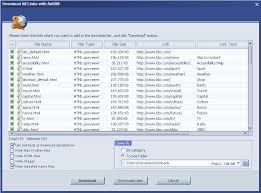
Ant Download Manager Pro works in harmony with major web browsers including Google Chrome, Mozilla Firefox, and Microsoft Edge. Once installed, the application deploys browser extensions that automatically detect and intercept download links throughout your browsing experience. This integration means that when you click a download link on any webpage, Ant Download Manager Pro captures the link automatically and presents it for download management within the application rather than using the browser’s default downloader.
This intelligent interception happens transparently without interrupting your browsing experience or requiring manual configuration for each download. The browser extension also provides quick access to the download manager interface through convenient toolbar buttons, enabling you to monitor active downloads or add new downloads without minimizing your current browsing window.
Advanced File Organization and Management Features
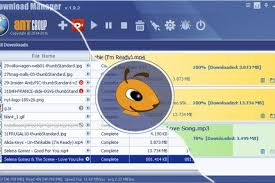
Downloading dozens or hundreds of files throughout your computing life inevitably leads to organization challenges. Ant Download Manager Pro addresses this through intelligent file categorization and detailed organizational features. The application automatically sorts downloads by file type, allowing you to quickly locate documents, images, videos, or applications among your download history. The file management dashboard displays comprehensive information about each download including the original source URL, download date and time, file size, destination location, and download speed metrics.
This detailed tracking enables you to maintain complete visibility over your download activity and trace any file back to its source if needed. The search functionality within Ant Download Manager Pro allows rapid retrieval of specific files from your complete download history. Whether you remember the approximate filename, download date, or source website, the search tools help you locate files without manually browsing through folders.
You can customize download destination folders for different file types, ensuring that documents, videos, and applications automatically save to appropriate locations. This automation prevents the common situation where downloads scatter across your hard drive, making future retrieval difficult.
Protocol Support and Compatibility Specifications
Ant Download Manager Pro supports a comprehensive range of download protocols, ensuring compatibility with virtually all download sources you might encounter. The application fully supports standard HTTP hypertext transfer protocol downloads from ordinary websites. HTTPS secure connections receive equal support, allowing safe downloading from protected websites without compatibility issues. For users requiring access to File Transfer Protocol or FTP servers, Ant Download Manager Pro includes complete FTP support, making it suitable for professional environments where FTP remains the standard file transfer method.
The software maintains secure FTP connections using standard protocols, ensuring your authentication credentials and transfer data remain protected. This broad protocol support eliminates the need to maintain multiple download applications for different connection types. Whether you download from regular websites, secure connections, or dedicated FTP servers, a single unified application handles all scenarios.
Media File Conversion Capabilities in Professional Edition
The professional edition of Ant Download Manager Pro includes an integrated media conversion feature that transforms downloaded video and audio files into formats compatible with your specific devices. After downloading a video, you can immediately convert it to formats optimized for smartphones, tablets, or portable media players without requiring separate conversion software. This integrated approach saves time and hard drive space by eliminating the need to maintain temporary files during format conversion. The conversion process occurs within the application, producing your desired output format directly from the downloaded source.
Users can configure default conversion settings for various device types, enabling one-click format conversion that applies your preferred settings automatically. This automation proves invaluable for those who regularly download videos from online sources and immediately need them in device-compatible formats.
Complete System Requirements for Windows Installation
- Before installing Ant Download Manager Pro, verify that your Windows system meets the minimum technical requirements. The application supports all modern Windows versions including Windows 7, Windows 8, Windows 8.1, Windows 10, and Windows 11 in both 32-bit and 64-bit editions.
- Your system requires a minimum of 2 gigabytes of random access memory to run Ant Download Manager Pro smoothly. While the application will technically function with less RAM, this minimum ensures reliable operation even when managing multiple simultaneous downloads while performing other tasks.
- The processor requirement specifies x64-compatible processors including Intel and AMD architectures. All modern processors from the last ten years meet this specification, so this requirement rarely presents an issue for contemporary systems.
- You need approximately 200 megabytes of available hard drive space for the initial installation files. This relatively small footprint means that even systems with limited storage capacity can accommodate Ant Download Manager Pro without difficulty.
- Browser compatibility extends across all major browsers. Google Chrome integration provides the most extensive functionality including advanced video detection and downloading. Mozilla Firefox and Microsoft Edge also receive full support with comparable feature sets.
Installation Process and Setup Instructions
- Installing Ant Download Manager Pro requires minimal effort and takes just a few minutes to complete. Download the official installer executable from the developer’s website or authorized download partners. Double-click the downloaded file to launch the installation wizard, which guides you through the setup process with clear, straightforward steps.
- The installer automatically detects your preferred browser and offers to install the corresponding browser extension, enabling the previously described automatic link detection functionality. Accept this option to enable the full feature set, particularly if you want automatic video detection and quick access to download management from your browser toolbar.
- After the main application installation completes, the software performs an initial configuration process where you can specify your preferred download destination folder and other basic preferences. You can modify all settings later through the preferences interface if your requirements change.
Portable Edition for Maximum Flexibility
In addition to the standard installed version, Ant Download Manager Pro offers a portable edition that requires absolutely no installation process. The portable version runs directly from a USB flash drive or any other removable storage device, making it ideal for users who work across multiple computers or prefer not to modify their system’s registry. The portable edition proves invaluable in corporate environments where users lack installation privileges or on shared computers where maintaining system integrity is critical. By leaving no registry entries and requiring no system modifications, the portable version maintains complete privacy and system cleanliness.
Simply extract the portable archive to your USB drive, and you can run Ant Download Manager Pro on any compatible Windows system without any installation procedures. Your download history, preferences, and settings save to the portable installation, allowing you to access your complete configuration across multiple computers. This portability makes Ant Download Manager Pro suitable for travelers, consultants, and remote workers who manage downloads across various systems throughout their workday.
Download Speed Optimization Strategies
Maximizing download speeds within Ant Download Manager Pro involves understanding several configuration options. The number of simultaneous download connections represents one of the most important settings. The default configuration typically uses four connections, but users with high-speed connections might increase this to six or eight connections for faster speeds on servers that support multiple simultaneous connections. The thread priority setting determines how aggressively the application allocates processor resources to download operations. Setting this to high ensures that downloads maintain full speed even while you perform other computing tasks, though this might slightly reduce the responsiveness of other applications during large downloads.
Bandwidth throttling options allow you to limit download speeds when necessary. This proves useful when you want to download files without consuming all available bandwidth, preserving connection capacity for other users on shared networks or enabling uninterrupted video calls while downloads progress in the background.
Resume Capability and Interrupted Download Recovery
The resume capability represents one of the most valuable features of Ant Download Manager Pro. When your internet connection drops unexpectedly, the application maintains the download link and progress information. Once your connection restores, simply click the resume button, and the download continues from the exact point where it stopped rather than restarting from the beginning. This resume functionality saves enormous amounts of time and bandwidth for users with unreliable internet connections or those managing very large downloads that require several hours to complete.
Without resume capability, a connection dropout during the final hour of a 10-hour download would require restarting the entire process, wasting the previously downloaded data. The resume function works across application restarts, meaning that even if you close Ant Download Manager Pro and restart your computer, the application maintains the ability to resume incomplete downloads when you restart the application.
Comparing Ant Download Manager Pro with Alternative Solutions
Several download management applications exist in the current market, including Internet Download Manager, Advanced Download Manager, and Free Download Manager. Each option offers distinct advantages and trade-offs. Ant Download Manager Pro competes favorably on price, offering excellent functionality at a reasonable cost compared to premium alternatives. The user interface generally receives praise for accessibility and clarity compared to more technical alternatives that appeal primarily to power users.
The integrated video grabbing functionality matches capabilities of Internet Download Manager while providing a more streamlined user experience. For users seeking primarily a general-purpose download accelerator rather than specialized video downloading, Ant Download Manager Pro provides excellent value. The active development and regular updates demonstrate that the developers actively maintain the software and address user feedback, ensuring continued compatibility with modern websites and operating systems.
Common Use Cases and Practical Applications
Ant Download Manager Pro serves numerous practical purposes in daily computing. Software developers regularly download large development environments, framework libraries, and documentation files. The speed improvements from multi-threaded downloading prove particularly valuable when managing dozens of megabyte or gigabyte-sized files. Content creators often download video footage, background music, and other media assets for projects. The integrated video grabbing enables quick downloading of reference material from online sources without requiring separate applications or complicated processes. Educators frequently download course materials, textbooks, and educational videos for offline access.
The organized file management helps maintain structured collections of educational resources. System administrators managing multiple computers benefit from the efficient downloading of operating system installation files, software packages, and security updates across multiple machines.
Security and Safety Considerations
Ant Download Manager Pro employs standard security protocols for all download operations. The application supports secure HTTPS connections with complete SSL encryption, ensuring that your download activities remain private and protected from interception. The software developers maintain professional security practices and regularly release updates addressing any identified vulnerabilities. Users should maintain updated installations to ensure optimal security posture.
The application does not include bundled advertising, adware, or tracking functionality. The developers monetize through software licensing rather than through invasive advertising or data collection, meaning you maintain complete privacy during download operations.
Technical Performance and Resource Usage
Ant Download Manager Pro operates efficiently with minimal impact on system performance. The application uses between 30 and 80 megabytes of RAM depending on the number of active downloads and the quantity of historical data maintained. Processor usage remains minimal during normal download operations, typically consuming less than 5 percent of available processing power even during large multi-threaded downloads. This light footprint allows concurrent operation with demanding applications without noticeable performance degradation.
The memory footprint increases only slightly with download history. Users managing thousands of previous downloads might see slightly higher memory usage, but the increase remains manageable on modern systems with at least 2 gigabytes of available RAM.
Latest Version Features and Updates
Version 2.17.4 Build 96212 represents the current stable release as of June 2026. This version includes improvements to video detection algorithms, enhanced browser compatibility, and optimized multi-threading performance. Recent updates have specifically addressed compatibility with Windows 11’s latest builds and improved detection of video content across newly updated web platforms. The developers regularly release minor updates addressing specific issues reported by users while planning major feature releases for subsequent versions.
Checking for updates within the application settings ensures you maintain the latest improvements and security enhancements. The update process occurs automatically when new versions become available, with notifications prompting you to install improvements.
File Size and Download Details
The current version requires 61 megabytes of storage for the complete installation. The portable edition occupies approximately 41 megabytes when compressed, expanding to around 65 megabytes when extracted for execution.These modest file sizes mean that download or installation time remains minimal even on slower internet connections. Users can typically download and install the application within a few minutes on any contemporary internet service.
Frequently Asked Questions About Ant Download Manager Pro
What file types can Ant Download Manager Pro download?
The application supports downloading any file type accessible through HTTP, HTTPS, or FTP protocols. This includes documents, archives, images, videos, software installers, and specialized file formats without limitation.
Does Ant Download Manager Pro work with all websites?
The application works with the vast majority of websites. Some websites implement specific anti-downloading measures that might prevent automated downloading. Most legitimate download sources function normally with Ant Download Manager Pro.
Can I limit bandwidth usage during downloads?
Yes, the bandwidth throttling feature allows setting maximum download speeds in kilobits per second or megabits per second. This proves useful when you want to preserve bandwidth for other network activities.
How many simultaneous downloads can the application manage?
Ant Download Manager Pro can manage dozens of simultaneous downloads limited primarily by your internet connection bandwidth rather than the application itself. Most users configure between 3 and 6 active downloads to balance speed and system resource usage.
Does the video grabber function with all video platforms?
The video grabber works with most major platforms including YouTube, Vimeo, and Dailymotion. Some platforms with specific anti-downloading protections might present challenges, though the developers regularly update detection algorithms.
Is Ant Download Manager Pro free or paid?
The application offers a free basic version with limited features and a professional paid version with advanced capabilities including video conversion and premium support. Many users find the free version sufficient for general downloading needs.
Conclusion and Recommendation
Ant Download Manager Pro delivers substantial improvements to download efficiency and management for Windows users. The combination of multi-threaded acceleration, reliable resume capability, integrated video downloading, and organized file management makes this software valuable for anyone regularly downloading files or videos from online sources. Whether you struggle with slow downloads, unreliable internet connections, or the need to grab videos for offline access, Ant Download Manager Pro provides a comprehensive solution that addresses these challenges effectively. The reasonable pricing, active development, and user-friendly interface position this software as an excellent choice compared to more expensive or complex alternatives.
For users seeking to maximize download speeds, maintain organized file management, and access additional download capabilities beyond basic browser functionality, Ant Download Manager Pro represents a practical and reliable investment that delivers measurable improvements to your computing experience.
