
JRiver Media Center is one of the most powerful and feature-rich media management applications available for Windows. Whether you are an audiophile looking for lossless audio playback, a home theater enthusiast who wants a complete TV replacement, or a photographer who needs advanced image organization, JRiver Media Center delivers everything in a single unified platform. This in-depth review covers every feature, explains what makes version 35 worth using, and answers the most common questions users have before downloading.
What Is JRiver Media Center?
JRiver Media Center is a premium Windows application developed by J.River, Inc. that handles audio, video, images, and television from one centralized interface. Unlike basic media players that only play files, JRiver acts as a full media hub. It connects your PC to stereos, televisions, remote controls, digital cameras, scanners, and portable audio devices, turning any Windows computer into an entertainment powerhouse.
The software supports more file formats than virtually any competing media player, includes a built-in media server for streaming to other devices on your network, and offers deep metadata tagging that appeals to collectors and power users alike.
Who Should Use JRiver Media Center?
JRiver Media Center is best suited for users who take their media libraries seriously. It is ideal for audiophiles who want bit-perfect playback through high-end DACs, home theater users who want HTPC-style control with a TV-friendly interface, photographers and videographers who manage large local libraries, and cord-cutters who want to record and organize over-the-air or cable television. Casual users who only occasionally stream music or watch videos may find the feature set more than they need, but anyone who manages a substantial local media collection will benefit enormously.
Key Features of JRiver Media Center 35
Advanced Audio Playback and Audiophile Support
JRiver Media Center has long been a favorite among audiophiles, and version 35 continues that tradition. The software supports WASAPI exclusive mode output, which bypasses the Windows audio mixer entirely and sends audio directly to your USB DAC or sound card. This ensures bit-perfect playback with no sample rate conversion or volume normalization applied by the operating system.
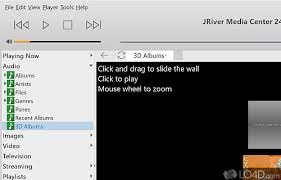
Additional audio features include the ability to play files directly from system memory rather than disk, which eliminates any potential disk-related jitter or interruption during playback. The built-in Headphone DSP makes stereo content sound more natural and comfortable through headphones by applying crossfeed and other psychoacoustic processing. DirectShow DSP filter support lets advanced users insert third-party audio processing plugins into the playback chain. The 3D album art view automatically adjusts text size to display more tracks and supports playing, shuffling, adding to queue, and playing next directly from that view.
Comprehensive Video Management
Video support in JRiver Media Center goes far beyond simple file playback. The software handles video tagging using sidecar files, which keeps your metadata organized without modifying original video files. Chapter navigation is fully supported for both MKV and MP4 container formats, with chapters displayed directly in the on-screen display during playback. An information panel shows detailed metadata for any video including resolution, codec, bitrate, and any custom tags you have assigned.
Image Library and Photo Management
JRiver Media Center includes a fully featured image management module that competes with dedicated photo organizers. The image preview function allows you to zoom from a thumbnail into a full-resolution view where you can rotate, delete, compare, and send images to an external editor like Photoshop with a single command. The software supports Photoshop PSD files natively and can stack an edited image with its original automatically after you return from an external editor. Optional thumbnail frames give your image library a polished visual appearance.
Television Recording and Live TV
One of the features that truly sets JRiver apart from standard media players is its built-in television module. The software can record high-definition television and effectively replaces a traditional cable TV setup when paired with a compatible TV tuner card. The Electronic Program Guide can automatically retrieve XMLTV data, and channel names are correlated automatically between the XML data and JRiver’s own channel list. A dedicated watched column in the metadata view keeps track of which programs you have already seen. Program artwork is supported through the YADB service, giving your TV library a visual appearance similar to a streaming service interface.
Theater View for Home Theater PCs
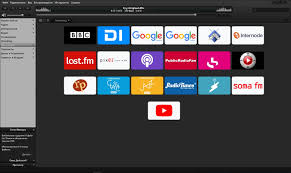
Theater View is JRiver’s fullscreen, 10-foot interface designed to be navigated from a couch with a remote control or mobile device. From Theater View you can watch YouTube and Hulu content alongside your local library, use customizable nested category views, and configure a file information panel to show exactly the metadata you want. The interface supports touch screens, displays an on-screen clock, and supports custom background images. Speed and rendering quality improvements in version 35 make Theater View noticeably smoother on older hardware.
Remote Control and Multi-Device Support
JRiver Media Center supports an extensive range of remote control options. You can use the dedicated MC Remote app on iPad, iPhone, Android, or Windows devices to control playback from anywhere on your network. The software supports IR transceiver-based remote relay for controlling a set-top box or AV receiver. A Remote Setup Wizard guides you through configuring any compatible remote control hardware, and the software supports learning and blasting commands from Media Center-compatible remotes. A new HID remote control plugin supports shortcuts using keyboard, mouse, and gamepad inputs. Advanced users can also control JRiver through its REST-based Web Service Interface exposed through the Library Server.
Library Server and Multi-User Access
The Library Server feature turns JRiver into a shared media server that multiple users on your network can connect to simultaneously. Clients can both read and write changes back to the server, meaning metadata edits made from one machine are reflected across your entire network. Library Server connections allow clients to trigger playback directly on the server as well as on their own local zones. DLNA support is included through the UPnP Server, making JRiver compatible with any DLNA-compliant device on your network including smart TVs, network audio players, and game consoles.
Multi-Zone Playback
JRiver supports simultaneous playback in multiple zones, meaning you can send different audio or video to different rooms or output devices at the same time. Each zone is controlled independently from the main interface or through any connected remote client. This makes JRiver a practical whole-home audio solution without requiring any additional software or hardware beyond compatible output devices.
Automatic Backups and Database Management
JRiver automatically backs up your media library database on a configurable schedule, protecting your tags, playlists, ratings, and play counts from data loss. The backup system runs silently in the background and maintains a rotation of recent backups so you can restore to a previous state if needed.
What Is New in JRiver Media Center 35.0.78?
The most recent update released on May 13, 2026 includes two notable changes. Users can now specify custom colors for the current playlist popup in the Playing Now Panel, with full configuration available through the JRiver Wiki. A list redrawing bug during scrolling that appeared in the previous build has been resolved, restoring smooth visual performance when navigating large libraries.
Portable Version of JRiver Media Center
JRiver Media Center is also available as a portable application that requires no installation. The portable version runs directly from a USB flash drive or external hard drive and leaves no trace on the host computer. All features of the full desktop version are available in the portable build, making it ideal for users who work across multiple computers or who travel frequently and want access to their media configuration without installing software on a host machine.
JRiver Media Center vs Competing Media Players
Compared to alternatives like VLC, Kodi, Plex, and foobar2000, JRiver Media Center occupies a unique position. VLC is a lightweight universal player but lacks advanced library management, multi-zone playback, and audiophile-grade output modes. Kodi is a strong home theater option but requires significant configuration and add-on management. Plex is cloud-oriented and better suited to remote streaming than local audiophile playback. Foobar2000 excels at audio but has no native video or image management. JRiver Media Center is the only single application that handles all four media types at a professional level while also supporting television recording, a fullscreen theater interface, and a network library server.
System Requirements
- JRiver Media Center 35 runs on Windows 10 and Windows 11 in 64-bit editions. The installer package is approximately 47 megabytes. A 32-bit version based on an earlier release branch is also available for legacy systems. The software is multilingual and the license covers the full version with no feature restrictions after purchase.
Technical Details at a Glance
- Software Name: J.River Media Center 35.0.78 Developer: J.River, Inc. Version: 35.0.78 License Type: Full Version (Paid) Supported Languages: Multilingual Operating System: Windows 10 and Windows 11 (64-bit) Installer File Size: 47 MB Portable Version: Available
Frequently Asked Questions About JRiver Media Center
Is JRiver Media Center free?
JRiver Media Center is a paid application with a one-time purchase license. A trial period is available so you can evaluate all features before buying.
Does JRiver support lossless audio formats?
Yes. JRiver supports FLAC, ALAC, WAV, AIFF, DSD, and virtually every other lossless and high-resolution audio format in use today.
Can JRiver stream to other devices?
Yes. JRiver includes a built-in media server that supports DLNA, UPnP, and its own Library Server protocol for streaming to other PCs, smart TVs, network audio players, and mobile devices.
Is there a portable version?
Yes. A portable version is available that runs from a USB drive without installation.
Does JRiver work on Mac or Linux?
JRiver also offers versions for macOS and Linux in addition to Windows, though the Windows version has the most feature parity and longest development history.
Final Verdict
JRiver Media Center 35 is the most comprehensive local media management and playback application available for Windows in 2026. Its combination of audiophile-grade audio output, full video library management with chapter support, built-in television recording, Theater View for home theater setups, multi-zone playback, network library sharing, and a portable version make it genuinely unmatched by any single competing product. If you take your local media collection seriously and want one application that handles everything without compromise, JRiver Media Center is the definitive choice.
