
PDF-XChange Editor Plus is one of the most powerful and lightweight PDF editors available for Windows users in 2026. Developed by Tracker Software Products, this professional-grade tool lets you create, edit, annotate, sign, and perform OCR on PDF documents with exceptional speed and accuracy. Whether you are a student managing research papers, a legal professional handling contracts, or a business user processing large volumes of documents, PDF-XChange Editor Plus delivers a complete PDF management solution that outperforms much heavier alternatives.
What Is PDF-XChange Editor Plus?
PDF-XChange Editor Plus is the premium tier of the PDF-XChange Editor family, sitting above the standard Editor version and offering exclusive features such as fillable form creation, dynamic stamp design, and direct PDF-to-PowerPoint conversion. It is built natively for the Windows ecosystem, meaning it integrates tightly with the operating system and does not carry the bloat associated with cross-platform tools. The software opens even large, complex PDF files in seconds, making it the preferred choice for professionals who work with high-volume document workflows on a daily basis.
Key Features of PDF-XChange Editor Plus
Direct Text and Content Editing
PDF-XChange Editor Plus allows you to edit text, images, and vector paths directly inside a PDF file without requiring access to the original source document. The inline editing mode functions similarly to a word processor, letting you click on any text block and begin typing changes immediately. You can adjust font size, font family, color, and alignment without converting the file to another format first. This is one of the most important features for users who frequently receive finalized PDFs that still require minor corrections.
Integrated OCR Technology
The built-in Optical Character Recognition engine is capable of converting scanned image-based PDFs into fully searchable and editable text documents. PDF-XChange Editor Plus supports OCR across multiple languages, making it highly suitable for international business environments. Once OCR processing is complete, the document becomes fully indexed, meaning every word is discoverable through standard search functions both inside the application and by search engine crawlers when documents are published online.
Fillable Form Creation and Management
One of the exclusive Plus-tier features is the ability to create interactive fillable PDF forms from scratch. You can insert text fields, checkboxes, radio buttons, dropdown menus, and signature fields with a drag-and-drop interface. These forms can be distributed digitally and filled out by recipients without requiring any additional software beyond a standard PDF reader. This feature alone replaces the need for dedicated form-creation tools in most small to medium business workflows.
Dynamic Stamp System
PDF-XChange Editor Plus includes a fully customizable dynamic stamp system that goes far beyond simple static image stamps. You can design stamps that automatically populate with the current date, time, username, or custom metadata at the moment of application. This is particularly useful for document approval workflows, audit trails, and compliance processes where time-stamped authorization marks are required.
PDF to PowerPoint Conversion
The software includes a direct conversion pathway from PDF to Microsoft PowerPoint format, preserving the original layout, fonts, and graphical elements as accurately as possible. This feature is indispensable for professionals who receive presentation materials in PDF format and need to repurpose or update those slides without rebuilding them from scratch. The conversion engine maintains column structures, embedded images, and text hierarchy throughout the process.
Advanced File Optimization and Compression
PDF-XChange Editor Plus provides a comprehensive set of file optimization tools that can significantly reduce PDF file sizes without degrading visual quality. Options include image downsampling, lossy and lossless compression, font unembedding, and removal of redundant metadata. For organizations that store thousands of PDF files or distribute them over bandwidth-limited connections, this feature delivers measurable storage and transmission cost savings.
Digital Signature and Security Tools
The editor supports industry-standard digital signatures, including certificate-based signatures compliant with PDF/A and PDF/X standards. You can apply password encryption at both the opening and permission levels, restricting printing, copying, or editing by unauthorized users. The software also supports certificate-based encryption for secure document exchange between parties using public-key infrastructure.
Annotation and Markup Tools
PDF-XChange Editor Plus includes an extensive suite of annotation tools covering text highlights, underlines, strikethroughs, sticky notes, freehand drawing, shape overlays, and measurement tools. All annotations are stored as standard PDF comments and are fully compatible with Adobe Acrobat and other PDF viewers. The annotation toolbar is customizable, allowing you to create a workspace that matches your specific review and markup workflow.
Multi-Tab Document Interface
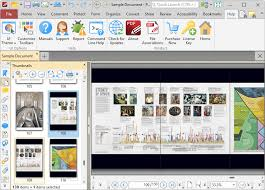
The application uses a tabbed browsing interface that lets you open and manage multiple PDF documents simultaneously within a single window. Each tab maintains its own zoom level, scroll position, and page layout settings independently. This makes side-by-side comparison of document versions significantly more efficient than working with multiple separate application windows.
Page Management and Organization
You can reorder, rotate, delete, extract, and insert pages within any PDF file using the page panel or drag-and-drop functionality. Merging content from multiple PDF files into a single document is handled through an intuitive combine interface that lets you preview the page order before finalizing. This feature set effectively eliminates the need for a dedicated PDF management utility in most standard workflows.
PDF-XChange Editor Plus vs Adobe Acrobat
When comparing PDF-XChange Editor Plus to Adobe Acrobat Pro, the most immediately noticeable difference is performance. PDF-XChange Editor Plus launches in a fraction of the time Acrobat requires, and it opens large multi-page documents without the progressive loading delays that affect the Adobe product on standard hardware. In terms of resource consumption, PDF-XChange Editor Plus uses significantly less RAM and CPU during both idle and active editing sessions, making it practical to run alongside other resource-intensive applications without performance degradation.
From a feature standpoint, PDF-XChange Editor Plus covers all the core editing, annotation, OCR, form creation, and security capabilities that Acrobat Pro offers, at a substantially lower licensing cost. The primary area where Acrobat Pro still holds an advantage is in cloud-based collaboration features and its integration with the broader Adobe Creative Cloud ecosystem. For users who do not rely on those specific cloud services, PDF-XChange Editor Plus represents a superior value proposition in terms of performance per dollar.
How to Edit Text in PDF-XChange Editor Plus?
Editing text in PDF-XChange Editor Plus is a straightforward process. After opening your PDF file, navigate to the Edit tab in the main ribbon and select the Edit Content tool. Click on any text block within the document to activate the editing cursor. The selected text block becomes an editable field where you can type new content, delete existing text, or paste content from the clipboard. Font and formatting controls appear in the toolbar above, allowing you to match the style of surrounding text. Once your edits are complete, saving the file writes the changes directly to the PDF structure without requiring any intermediate export step.
For more complex editing tasks involving text that spans multiple columns or wraps around images, you may need to use the Edit All Text mode, which treats the entire page content as a single editable layer. This mode is particularly useful for reformatting documents with non-standard layouts.
PDF-XChange Editor Plus Portable Edition
The Portable Edition of PDF-XChange Editor Plus is a self-contained version of the software that runs entirely from a removable drive or local folder without requiring installation. Because it writes no entries to the Windows registry and creates no files in system directories, it leaves absolutely no trace on the host computer after the drive is removed. This makes it ideal for IT professionals, consultants, and technicians who carry their tools on a USB drive and work across multiple client machines. The portable version includes the complete feature set of the installed edition, including OCR processing, form creation, digital signatures, and all annotation tools. Custom settings, stamps, and toolbar configurations are stored within the portable application folder itself, ensuring a consistent working environment regardless of which machine the drive is connected to.
System Requirements for PDF-XChange Editor Plus on Windows
- PDF-XChange Editor Plus 11.0.0 is compatible with all major versions of Windows currently in active use. The minimum hardware requirements are modest enough to support installation on older business machines while the software still delivers full functionality.
- The supported operating systems are Windows 7, Windows 8, Windows 10, and Windows 11 in both 32-bit and 64-bit editions. Earlier versions of the software also support Windows XP and Vista for organizations maintaining legacy infrastructure. The software is fully certified for deployment on Microsoft Terminal Server and Citrix environments, making it suitable for enterprise virtual desktop deployments.
- The minimum processor requirement is a 1 GHz or faster CPU in either x86 or x64 architecture. A minimum of 1 GB of RAM is required for basic operation, though 2 GB or more is strongly recommended when working with large documents, performing OCR on multi-page scans, or running optimization tasks on high-resolution image-heavy files. Installation requires approximately 500 MB of free disk space. A display resolution of 1024 x 768 pixels or higher is required for the full interface to render correctly.
Who Should Use PDF-XChange Editor Plus?
PDF-XChange Editor Plus is suited to a broad range of professional and personal use cases. Legal professionals benefit from its precise redaction tools, digital signature support, and audit-trail stamping capabilities. Academic researchers and students find the annotation and highlight tools essential for document review and reference management. Architects and engineers working with technical drawings in PDF format rely on the measurement and markup tools. Administrative professionals in corporate environments use the form creation features to replace paper-based processes with digital workflows. IT administrators and field technicians value the portable edition for its zero-footprint deployment model.
For any Windows user who works with PDF documents as a regular part of their daily tasks, PDF-XChange Editor Plus offers the most complete and performance-efficient solution currently available without the subscription cost structure that Adobe Acrobat Pro requires.
Is There a Free Trial for PDF-XChange Editor Plus?
Yes, PDF-XChange Editor Plus is available as a free trial that provides access to the complete feature set for an evaluation period. During the trial, documents saved using features that require a paid license will include a watermark on the affected pages. Features that do not require a license remain fully functional and produce clean output without any watermarks. This trial structure lets you thoroughly evaluate every capability of the software before making a purchase decision, including OCR processing, form creation, and the dynamic stamp system.
Overview of Version 11.0.0 Improvements
Version 11.0.0 of PDF-XChange Editor Plus brings refinements to the OCR engine for improved accuracy on low-quality scans and handwritten text, enhanced performance when working with encrypted documents, updated compatibility with the latest PDF 2.0 specification, and improvements to the JavaScript engine used for interactive form automation. The interface has received incremental refinements to toolbar customization and keyboard shortcut assignment that improve workflow efficiency for power users who prefer keyboard-driven navigation.
Frequently Asked Questions About PDF-XChange Editor Plus
Can PDF-XChange Editor Plus open password-protected PDFs?
Yes, the software can open password-protected PDFs when the correct password is provided. It can also apply password encryption to documents you create or edit.
Does PDF-XChange Editor Plus support batch processing?
Yes, the software supports batch operations for tasks including OCR, file optimization, watermarking, and header or footer application across multiple documents simultaneously.
Is PDF-XChange Editor Plus available in languages other than English?
Yes, the software ships with multilingual support covering a wide range of European and Asian languages for both the interface and OCR recognition.
Can I create PDF documents from scratch in PDF-XChange Editor Plus?
Yes, the software includes tools for creating new PDF documents with blank pages, as well as converting content from other file formats into PDF.
Does the software support PDF/A format for archival compliance?
Yes, PDF-XChange Editor Plus can both open and save documents in PDF/A format, which is the ISO-standardized version of PDF designed for long-term digital preservation.
Final Thoughts
PDF-XChange Editor Plus 11.0.0 stands as the most capable and resource-efficient professional PDF editor available for Windows in 2026. Its combination of direct content editing, high-accuracy OCR, fillable form creation, digital signatures, file optimization, and portable deployment options addresses every core requirement of modern document workflows. When measured against Adobe Acrobat Pro on performance, cost, and feature completeness for local workflows, PDF-XChange Editor Plus consistently emerges as the stronger choice for Windows users who prioritize speed and efficiency without sacrificing capability.
