
Reg Organizer is one of the most powerful and feature-complete Windows registry management tools available today. Developed by Chemtable Software, it combines a registry editor, registry cleaner, system optimizer, disk cleanup utility, and application uninstaller into a single lightweight application. Whether you are a system administrator managing multiple machines or an everyday user trying to keep a personal PC running smoothly, Reg Organizer 9.93 delivers professional-grade tools in an intuitive interface.
What Is Reg Organizer and What Does It Do?
Reg Organizer is a comprehensive Windows utility that gives users full control over the Windows registry. The Windows registry is a hierarchical database that stores low-level settings for the operating system and for applications installed on Windows. Over time, this database accumulates invalid entries, broken references, orphaned keys, and redundant data that can slow down your PC, trigger error messages, and cause application crashes. Reg Organizer addresses all of these problems in one place.
It lets you view, edit, search, and clean the registry, remove junk files from your hard drive, manage startup programs, uninstall applications completely, and apply hidden Windows tweaks to boost performance. Unlike simple one-click cleaners, Reg Organizer gives advanced users granular control over exactly what gets changed, while still providing automated tools that work safely for beginners.
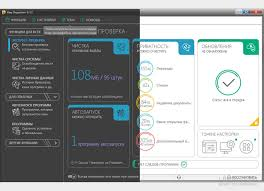
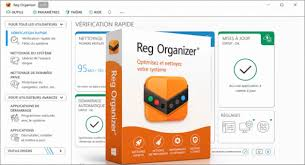
Key Features of Reg Organizer 9.93
Advanced Registry Editor
The built-in registry editor in Reg Organizer goes beyond what the default Windows Registry Editor offers. You can view and edit registry keys and values, manipulate registry data in bulk, export and import keys, and copy registry paths with precision. The interface presents registry data clearly, making it easy to navigate even deeply nested key structures.
Deep Registry Cleaner
The registry cleaner is one of the strongest components of Reg Organizer. It scans the entire Windows registry and identifies multiple categories of problems including invalid file and folder references, broken DLL entries, invalid uninstallation records, obsolete file type associations, and leftover data from applications that were deleted without a proper uninstaller. After scanning, it presents a detailed report of all detected issues so you can review them before making any changes. Reg Organizer can repair a wide range of these problems automatically, and experienced users can selectively skip any entries they want to keep.
Comprehensive Registry Search
The deep registry search feature is where Reg Organizer truly outperforms competing tools. It can locate every key, value, and data entry in the registry that is associated with a specific application. This is especially useful when you manually delete a program by removing its folder, because the registry still contains the program’s configuration keys and license information. These orphaned entries can interfere with reinstallation or cause conflicts with other software. Reg Organizer finds and removes all of them, even entries that other registry cleaners miss.
The search and replace functionality adds another layer of utility. You can search the registry for any string and replace it across all matching entries in a single operation, which is invaluable for tasks like migrating application settings after moving files to a new drive letter.
Registry Defragmentation and Compression
The Windows registry grows in size as you install and uninstall programs, and even after cleaning it does not automatically compact itself. Reg Organizer includes a registry defragmentation tool that physically reorganizes and compresses the registry file on disk. This reduces the size of the registry, speeds up registry read and write operations, and can noticeably improve overall system responsiveness. The defragmentation process requires a system restart to complete and is best run after a thorough registry cleaning session.
Windows Tweaks and Hidden Settings
Reg Organizer provides access to dozens of undocumented Windows settings that are not available through the standard Control Panel or Settings app. These tweaks allow you to adjust system cache behavior, control how Windows handles unused libraries in memory, modify visual effects, change system response times, and more. Each tweak is explained clearly so users understand what will change before applying it.
Startup Program Manager
Every program that launches automatically when Windows starts consumes memory and extends boot time. Reg Organizer includes a startup manager that shows you every program configured to run at startup or login, regardless of whether it was added through the registry, the Startup folder, scheduled tasks, or other mechanisms. You can inspect, enable, disable, or permanently remove startup entries without editing the registry manually.
Built-in Software Uninstaller with Snapshot Technology
The integrated application uninstaller in Reg Organizer is significantly more powerful than the standard Windows Programs and Features panel. It can take a complete system snapshot before you install a new application and another snapshot after installation is complete. By comparing the two snapshots, Reg Organizer identifies every single change the installer made to your system including registry keys, files, folders, and system settings. When you later uninstall that application, Reg Organizer can revert all of those changes precisely, leaving your system in exactly the state it was in before installation. This is one of the cleanest approaches to application removal available in any Windows utility.
For applications you install without taking a snapshot first, the standard uninstaller works by running the application’s own uninstaller and then scanning for and removing any leftover files and registry entries.
Disk Cleanup Tool
The disk cleanup module removes temporary files, browser caches, system logs, thumbnail caches, crash dumps, and other unnecessary data that accumulates on your hard drive over time. In version 9.93, the disk cleanup tool has expanded browser support to include Brave, Opera GX, and Vivaldi in addition to the previously supported browsers. Cache cleaning for Chrome, Edge, Opera, and Yandex has also been improved for more thorough results.
REG File Editor and Previewer
Reg Organizer can open, preview, and edit registry files in the .reg format directly, without importing them into the registry first. When you open a .reg file, Reg Organizer displays its contents in a tree structure that mirrors how the keys will appear in the registry, giving you a clear picture of what the file will do before you commit any changes. You can edit values within the .reg file using the built-in editor and save a modified version. This is a significant advantage over double-clicking a .reg file and hoping for the best.
DLL Analyzer and Context Menu Manager
Reg Organizer includes tools for analyzing shared dynamic link libraries to identify which programs are using them and detect any DLLs that may be orphaned or duplicated. It also lets you customize the Open With context menu that appears when you right-click a file in Windows Explorer, and manage the entries that appear in the Add or Remove Programs list, which is useful for cleaning up entries left by improperly uninstalled software.
What Is New in Reg Organizer 9.93?
Version 9.93 brings several meaningful improvements over previous releases. Support for three additional browsers has been added to the main cleanup tools: Brave, Opera GX, and Vivaldi. This is significant because these browsers have become popular alternatives and their cache files can accumulate several gigabytes of data over time. The application closing behavior during cleanup has been expanded. Previously, Reg Organizer would only prompt users to close browsers before cleaning them. Now it can detect when any application covered by the cleanup tools needs to be closed and can close those applications automatically to ensure a thorough cleanup. Edge and Yandex browsers are also closed more quickly during this process than in previous versions.
The Community-Driven Cleanup tool received two usability improvements. It now prompts users to close applications before cleaning, matching the behavior of the main cleanup tools. Empty sections in the results are now dimmed rather than hidden, making it easier to understand the scope of what was scanned. A bug that caused the ampersand character to be incorrectly displayed in location names within results lists has also been fixed.Cleanup support for the legacy EdgeHTML-based version of Microsoft Edge has been removed since that browser was discontinued in 2019.
Cleanup for the modern Chromium-based version of Edge continues to be supported and has been improved. The System Cleanup and Private Data Cleanup tools now open faster than in previous versions, reducing the wait time before you can begin a cleanup session.
Reg Organizer Portable Edition
The portable version of Reg Organizer is designed for users who need to run the tool on multiple computers without installing it on each one. You can copy the portable edition to a USB flash drive and launch it directly on any Windows PC. The portable version runs entirely from its own folder, does not write installation data to the Windows registry of the host computer, and leaves no residual files behind when you remove the drive. This makes it an ideal tool for IT professionals who perform maintenance across many machines.
Who Should Use Reg Organizer?
Reg Organizer is useful for a wide range of users. Home users who notice their Windows PC has become slower over time will benefit from the registry cleaning, disk cleanup, and startup management features. Power users who install and uninstall software frequently will appreciate the snapshot-based uninstaller that ensures complete removal. System administrators managing Windows environments will find the deep registry search, .reg file editor, and DLL analyzer valuable for troubleshooting and maintenance tasks. Developers can use the registry monitoring feature to observe what changes an application makes to the registry in real time.
System Requirements and Technical Details
- Reg Organizer 9.93 runs on Windows 10 and Windows 11 in both 32-bit and 64-bit configurations. The installer version requires approximately 25 MB of disk space while the portable version is approximately 57 MB due to the inclusion of all required runtime files. The application supports multiple languages. It is developed and published by Chemtable Software.
How Reg Organizer Compares to Similar Tools?
Several other tools address parts of what Reg Organizer does, but few combine all of these capabilities in a single package. CCleaner focuses primarily on junk file removal and basic registry cleaning but lacks the deep registry search, .reg file editing, and snapshot-based uninstallation that Reg Organizer offers. Revo Uninstaller is excellent at removing applications but does not include the registry editor, disk cleanup, or Windows tweaks found in Reg Organizer. Registry Workshop provides a sophisticated registry editor but does not bundle disk cleanup or an application uninstaller. Reg Organizer sits in a unique position by offering all of these tools together, making it a more complete solution for Windows maintenance.
Frequently Asked Questions About Reg Organizer
Is it safe to clean the registry with Reg Organizer?
Reg Organizer displays all detected issues before making any changes and allows you to review and deselect individual items. It also creates a backup of the registry before performing cleanup operations, so changes can be reversed if needed. Following the recommended practice of reviewing the scan results before proceeding makes the process very safe.
What is the difference between the installer version and the portable version?
The installer version integrates with Windows Explorer for .reg file preview and provides seamless shell integration. The portable version runs without installation and can be used on any PC from a USB drive without leaving traces on the host system.
Can Reg Organizer speed up a slow Windows PC?
Yes, in multiple ways. Cleaning invalid registry entries reduces the time Windows spends processing the registry. Compressing and defragmenting the registry improves read performance. Disabling unnecessary startup programs reduces boot time and memory usage. Removing cached and temporary files frees up disk space. Applying performance tweaks can further optimize system resource usage.
Does Reg Organizer work with Windows 11?
Yes, Reg Organizer 9.93 fully supports Windows 11 including cleanup for all modern browsers that run on Windows 11.
Final Verdict on Reg Organizer 9.93
Reg Organizer 9.93 is a mature, well-designed, and genuinely useful Windows maintenance tool. Its combination of deep registry editing, thorough cleaning, snapshot-based uninstallation, disk cleanup, and system tweaks gives it more breadth than most competing utilities. The addition of Brave, Opera GX, and Vivaldi support in version 9.93 keeps the tool current with how users actually browse the web today. The automatic application closing feature during cleanup addresses a common problem where incomplete cleanup occurs because a target application is still running. For anyone who takes Windows maintenance seriously, Reg Organizer is one of the most capable tools available and well worth adding to your software toolkit.
